Victron Energy systems run on a variety of cables, dongles, and adapters that connect products together for communication, configuration, and monitoring. Knowing which accessories you actually need — and which you can skip — saves money and avoids the frustration of receiving a new MPPT controller only to discover you cannot connect it to your GX device without an adapter you forgot to order. This guide covers every common Victron accessory and explains when each one is necessary.
VE.Direct Cables
What They Are
VE.Direct cables are thin data cables with JST-PH connectors at both ends. They connect VE.Direct devices (MPPT controllers, SmartShunts, Phoenix inverters) to a GX device or to each other via a VE.Direct port.
Available Lengths
| Length | Typical Use | Approx. UK Price |
|---|---|---|
| 0.3m | Devices mounted next to GX | GBP 5-8 |
| 0.9m | Devices in the same enclosure | GBP 6-10 |
| 1.8m | Most common — covers typical install distances | GBP 8-12 |
| 3.0m | Devices in different locations on a boat or van | GBP 10-15 |
| 5.0m | Longer runs through a vessel or building | GBP 12-18 |
| 10.0m | Maximum recommended length for VE.Direct | GBP 15-22 |
VE.Direct cables carry data only — they do not provide power. The JST-PH connectors are small and somewhat fragile, so avoid routing cables where they will be repeatedly disturbed. Buy one cable per VE.Direct device you want to connect to the GX.
How Many Do You Need?
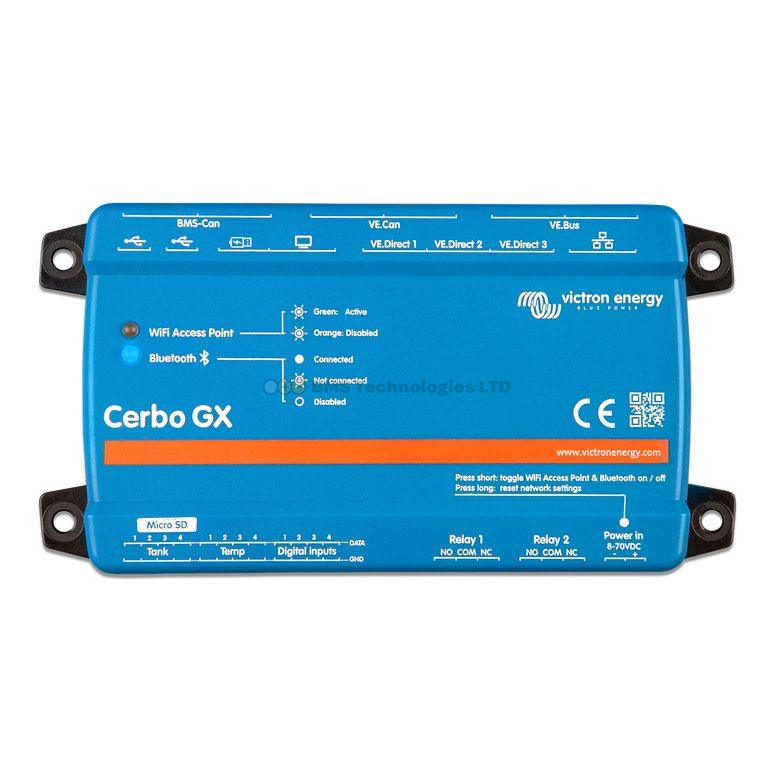
One per VE.Direct device connected to the GX. If you have two MPPT controllers and a SmartShunt, you need three VE.Direct cables. Check your GX device's port count — a Cerbo GX has two or three VE.Direct ports. If you have more devices than ports, you will also need VE.Direct to USB adapters (see below).
VE.Direct to USB Interface
This adapter converts a VE.Direct connection to USB, allowing you to:
- Connect VE.Direct devices to a computer — for configuration and firmware updates via VictronConnect when Bluetooth is not available
- Add more VE.Direct devices to a GX — plug into the Cerbo GX's USB ports when all VE.Direct ports are occupied
Each adapter handles one device. For multiple additional devices, use multiple adapters (via a powered USB hub if needed). The adapter costs around GBP 30-40 from UK Victron dealers.
VE.Direct Bluetooth Smart Dongle
This dongle plugs into a device's VE.Direct port and adds Bluetooth connectivity for the VictronConnect app. It is designed for older BlueSolar MPPT controllers and BMV-700/702 battery monitors that lack built-in Bluetooth.
- When you need it: you have a BlueSolar MPPT or older BMV and want to configure or monitor it via your phone
- When you do not need it: your device already has "Smart" in its name (SmartSolar, SmartShunt, Blue Smart) — these have Bluetooth built in
- Important limitation: the dongle occupies the VE.Direct port, so you cannot simultaneously use the dongle and a VE.Direct cable to the GX. Choose one or the other
Price is approximately GBP 35-50.
MK3-USB (VE.Bus to USB Interface)
The MK3-USB is the essential adapter for MultiPlus and Quattro owners. It connects the RJ45 VE.Bus port on your inverter/charger to your computer's USB port, enabling:
- Configuration — setting input current limits, charger voltages, PowerAssist, and all other MultiPlus/Quattro settings via VictronConnect
- Firmware updates — VE.Bus products can only be updated via MK3-USB or remotely through a GX device
- Diagnostics — reading error logs and real-time operating parameters
If you have a Cerbo GX with internet access, you can configure the MultiPlus through the GX device's Remote Console or VRM portal instead. However, the MK3-USB remains useful as a backup configuration method and is required for initial setup if you do not yet have a GX device connected.
Price is approximately GBP 50-70. It is a one-time purchase that works with all VE.Bus products.
RJ45 UTP Cables for VE.Bus and VE.Can
Both VE.Bus and VE.Can use standard RJ45 connectors with UTP (unshielded twisted pair) cables — the same type of cable used for Ethernet networking. You can use off-the-shelf Cat5e or Cat6 Ethernet patch cables for these connections.
- VE.Bus: connects the GX device to the MultiPlus/Quattro. One cable from the GX's VE.Bus port to the first inverter/charger. Additional units in parallel daisy-chain from one to the next
- VE.Can: connects the GX to VE.Can devices (Lynx Smart BMS, Lynx Shunt, large MPPT controllers). Daisy-chain multiple devices with terminators at each end
Standard Ethernet cables of any length up to 50-100 metres are fine. Use Cat5e minimum for reliability. These cables cost next to nothing from any electronics supplier.
VE.Direct Non-Inverting Remote On/Off Cable
This is a small cable that connects to the VE.Direct port and provides a remote on/off switch function for compatible devices. When the cable is cut or disconnected, the device turns off. When connected, the device operates normally.
It is primarily used with Phoenix inverters to add a physical on/off switch in a convenient location — for example, a dashboard switch in a campervan that turns the inverter on and off without needing to access the inverter itself.
There is also an "inverting" version where the logic is reversed (device off when connected, on when disconnected). Make sure you order the correct version. Price is approximately GBP 10-15.
Smart Battery Sense
The Smart Battery Sense is a small wireless device that measures battery voltage and temperature directly at the battery terminals. It shares this data via Bluetooth VE.Smart networking with compatible MPPT controllers and chargers.
- When you need it: you have SmartSolar MPPT controllers and want accurate temperature compensation and voltage sensing without a GX device
- When you do not need it: you have a GX device that already receives temperature data from a SmartShunt temp probe, or you are using Victron Smart Lithium batteries with built-in sensing
Price is approximately GBP 30-40. Powered by a CR2032 coin cell battery lasting around 5 years.
VE.Can Terminators
Small RJ45 plugs containing a 120-ohm resistor. Every VE.Can bus requires one at each end of the chain. Victron ships a pair with most VE.Can products, but if you lose one or add devices later, you may need spares. They cost approximately GBP 5-10 for a pair.
Temperature Sensors
Victron offers 10k NTC thermistor probes that connect to the temperature sensor inputs on MultiPlus/Quattro units, SmartShunts, and Cerbo GX devices. These are simple two-wire probes with ring terminal or bare wire ends. Price is approximately GBP 15-20. See our temperature sensor guide for detailed placement and configuration advice.
VE.Bus BMS
The VE.Bus BMS is a battery management interface for Victron's older Smart Lithium batteries. It sits between the battery's BMS and the rest of the system, controlling charge and discharge via VE.Bus signals to the MultiPlus/Quattro. For newer installations, the Lynx Smart BMS is the preferred alternative, offering more features and VE.Can communication. The VE.Bus BMS remains relevant for existing installations or budget builds. Price is approximately GBP 50-70.
GX Touch Screen
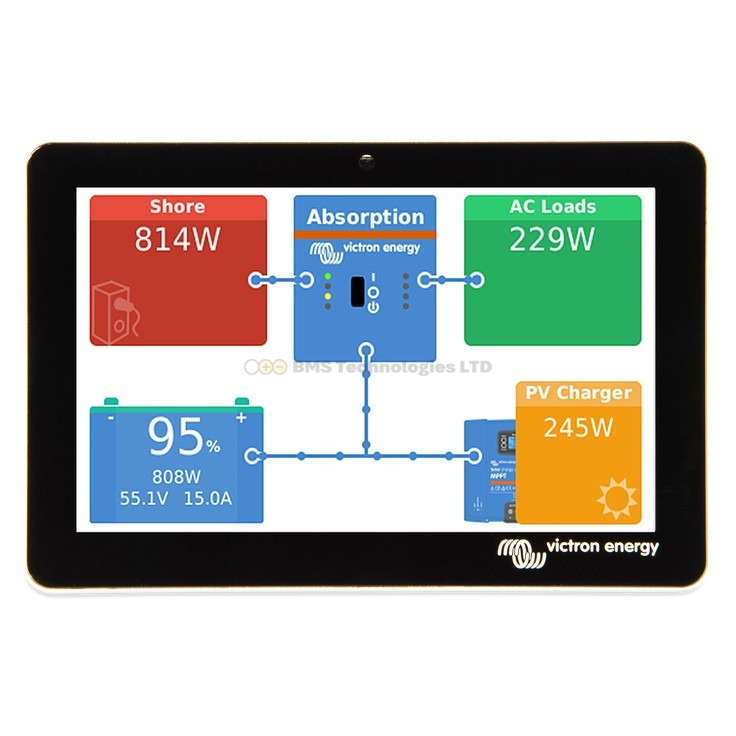
The GX Touch 50 and GX Touch 70 are optional touchscreen displays for the Cerbo GX. They connect via a single cable and provide a local display showing the same information available on VRM and Remote Console. The 50 is a 5-inch screen; the 70 is 7 inches. These are entirely optional — the Cerbo GX works perfectly well headless, with access via VRM or a phone browser. But for installations where you want a permanent wall-mounted display (e.g., on a narrowboat or in a plant room), they are very convenient.
Prices range from approximately GBP 140-200 depending on the size. The Ekrano GX has a built-in screen and does not need a separate GX Touch.
What You Actually Need: Common System Builds
Small Campervan (1x MPPT, 1x SmartShunt, no inverter)
- Smart Battery Sense (for temperature compensation) — GBP 30-40
- No cables needed if using Bluetooth only
- Total accessories cost: GBP 30-40
Medium Campervan (1x MPPT, 1x SmartShunt, 1x MultiPlus, Cerbo GX)
- 2x VE.Direct cables (MPPT + SmartShunt to Cerbo) — GBP 16-24
- 1x RJ45 UTP cable (MultiPlus to Cerbo VE.Bus) — GBP 3-5
- 1x MK3-USB (for MultiPlus initial config, optional if configuring via Cerbo) — GBP 50-70
- 1x Temperature sensor for MultiPlus — GBP 15-20
- Total accessories cost: GBP 85-120
Off-Grid Home (2x MPPT, 1x SmartShunt, 1x MultiPlus-II, Cerbo GX, Lynx system)
- 2x VE.Direct cables (MPPTs to Cerbo) — GBP 16-24
- 1x VE.Direct cable (SmartShunt to Cerbo, or use USB adapter if ports full) — GBP 8-12
- 1x RJ45 UTP cable (MultiPlus-II to Cerbo) — GBP 3-5
- 1-2x RJ45 UTP cables (VE.Can bus for Lynx BMS/Shunt) — GBP 6-10
- 1x pair VE.Can terminators (if not included with Lynx products) — GBP 5-10
- 1x MK3-USB — GBP 50-70
- Total accessories cost: GBP 90-130
Cable Management Tips
- Label everything — use cable labels or coloured tape to identify VE.Direct, VE.Bus, and VE.Can cables. They all look similar once installed
- Route data cables away from power cables — especially VE.Direct cables, which are unshielded and can pick up interference from DC power cables
- Use cable ties and clips — secure all data cables to prevent them from vibrating loose in mobile installations (vans, boats)
- Keep spare cables — VE.Direct cables and RJ45 cables are inexpensive. Having a spare of each length in your system saves a trip if one is damaged
- Do not extend VE.Direct cables — splicing JST connectors is unreliable. Buy the correct length
For understanding which ports each protocol uses, see our communication protocols guide. To decode the model numbers when ordering products, check our product naming guide. And use our price comparison tool to find the best UK prices on all Victron accessories.