Charging lithium iron phosphate (LiFePO4) batteries correctly is essential for both safety and longevity. Unlike lead-acid batteries, LiFePO4 cells are intolerant of over-charging and must never be charged below certain temperatures. Victron makes it straightforward to set the right parameters across their product range, but you need to know the correct values and where to enter them. This guide covers every charging scenario for Victron LiFePO4 batteries.
Correct Charge Voltage Settings
Victron specifies the following charge parameters for their LiFePO4 batteries (Smart, SuperPack, and NG ranges):
12.8V Systems (Nominal 12V)
| Parameter | Value | Notes |
|---|---|---|
| Absorption voltage | 14.2V | Some setups use 14.0V for more conservative charging |
| Float voltage | 13.5V | Victron recommends this value, though some installers disable float entirely |
| Equalisation | Disabled | Never equalise LiFePO4 — this will damage the cells or trigger BMS protection |
| Temperature compensation | Disabled (0 mV/°C) | LiFePO4 does not need temperature-compensated charging. Leaving this enabled causes incorrect voltages |
| Low temperature cutoff | 5°C | Do not charge below 5°C — see winter section below |
25.6V Systems (Nominal 24V)
| Parameter | Value | Notes |
|---|---|---|
| Absorption voltage | 28.4V | Double the 12V value |
| Float voltage | 27.0V | Double the 12V value |
| Equalisation | Disabled | Same as 12V — never equalise |
| Temperature compensation | Disabled (0 mV/°C) | Must be zero |
Setting Charge Parameters in VictronConnect (MPPT Controllers)
Your Victron MPPT charge controller is typically the primary solar charger. Configure it via the VictronConnect app on your phone:
- Open VictronConnect and connect to your MPPT via Bluetooth
- Go to Settings (gear icon)
- Under Battery, tap Battery preset
- Select Lithium Iron Phosphate from the preset list — this automatically sets absorption to 14.2V, float to 13.5V, and disables equalisation and temperature compensation
- Verify all values match the table above
- Set Absorption time — Victron's adaptive absorption algorithm works well, but you can also set a fixed time of 1–2 hours for lithium
- If using DVCC via a Cerbo GX, the GX device will override these settings with values from the BMS — but setting correct defaults provides a fallback if communication is lost
Maximum Charge Current
Set the MPPT's maximum charge current based on your battery capacity. For Victron LiFePO4 batteries:
- Safe rate: 0.5C (50A for a 100Ah battery, 100A for 200Ah)
- Maximum rate: 1C (100A for a 100Ah Smart battery)
- The MPPT's maximum output is limited by its hardware rating, which may be below the battery's maximum charge rate. This is fine — charging at lower rates is gentler on the cells
Setting Charge Parameters via VEConfigure (MultiPlus/Quattro)
The MultiPlus or Quattro inverter/charger has a built-in charger that also needs correct lithium settings. Configuration is done via VEConfigure software (Windows) with an MK3-USB interface cable:
- Connect the MK3-USB between your computer and the MultiPlus VE.Bus port
- Open VEConfigure and read the current settings from the device
- Navigate to the Charger tab
- Set Absorption voltage to 14.2V
- Set Float voltage to 13.5V
- Set Equalisation to disabled
- Set the Charge current to match your battery's recommended maximum charge rate
- Under the Battery tab, set Temperature compensation to 0.00 mV/°C
- Write the settings back to the device
If your MultiPlus is connected to a Cerbo GX with DVCC enabled and a Lynx Smart BMS (or other compatible BMS), the charge voltage and current limits from the BMS take priority. The VEConfigure values act as maximums that the BMS limits cannot exceed.
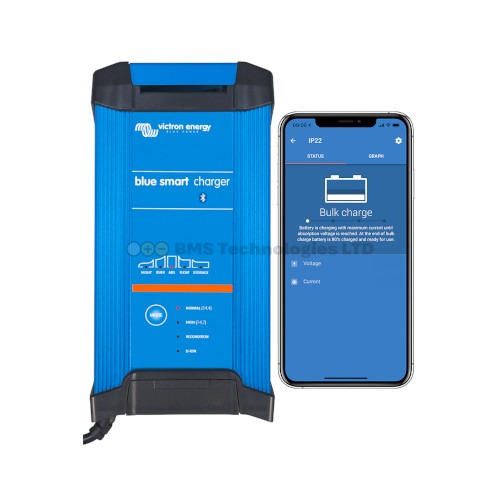
Setting the Blue Smart IP22 Charger
Victron's Blue Smart IP22 is a popular mains-powered charger for shore power or home charging. It is configured via the VictronConnect app:
- Connect to the charger via Bluetooth using VictronConnect
- Go to Settings
- Select the Li-ion preset — this sets the correct voltages for LiFePO4
- Verify absorption is 14.2V and float is 13.5V
- The Blue Smart IP22 does not support DVCC or BMS communication. If your battery BMS disconnects, the charger will see an open circuit and stop charging. It will attempt to restart periodically
BMS Communication via DVCC — The Preferred Method
DVCC (Distributed Voltage and Current Control) is Victron's system for centralised battery management. When a BMS — such as the Lynx Smart BMS — communicates with a Cerbo GX, it sends real-time charge and discharge limits based on actual cell conditions.
How DVCC Works
- The BMS reads individual cell voltages and temperatures
- It calculates the maximum safe charge voltage, charge current, and discharge current at that moment
- These values are sent to the Cerbo GX via CAN-bus
- The Cerbo GX distributes these limits to all connected chargers (MPPTs via VE.Direct, MultiPlus via VE.Bus)
- Each charger adjusts its output in real-time to stay within the BMS limits
Why DVCC Is Preferred
Without DVCC, your chargers use fixed voltage settings. If a cell becomes unbalanced and reaches its maximum voltage before the others, the BMS must physically disconnect the battery to protect it. This is abrupt and can cause voltage spikes in the system.
With DVCC, the BMS can progressively reduce the charge current as cells approach their limits, tapering charging smoothly to zero. The contactor disconnect becomes a last resort, not a normal part of the charge cycle. This is safer, gentler on components, and results in a better-balanced battery bank.
What Happens If You Charge Incorrectly
Over-Voltage Charging
If the charge voltage is set too high (e.g., using a lead-acid profile at 14.7V on a 12V LiFePO4 battery):
- Individual cells may exceed 3.65V (the safe maximum per cell)
- The BMS will disconnect the battery to protect the cells
- If the BMS fails or is not present, over-voltage causes lithium plating, gas generation, capacity loss, and in extreme cases, thermal runaway
- Even brief over-voltage events cause cumulative damage — each incident reduces the battery's lifespan
Equalisation Damage
Lead-acid batteries require periodic equalisation at 15.5–16.0V to desulphate plates. Applying this voltage to LiFePO4 is extremely dangerous. Cells will be pushed far above their maximum voltage. The BMS should disconnect, but if it doesn't, cell damage and potential fire risk result. Always verify equalisation is disabled in every charger connected to your lithium battery.
Temperature Compensation Errors
Temperature compensation adjusts charge voltage based on battery temperature — higher voltage when cold, lower when warm. This is correct for lead-acid chemistry but wrong for LiFePO4. With temperature compensation active and the battery cold (common in UK winters), the charger will increase voltage above 14.2V, potentially triggering BMS protection or damaging cells.
Charge Current Recommendations
| Battery | Safe Charge Rate (0.5C) | Maximum Rate (1C) |
|---|---|---|
| Smart 12.8V 100Ah | 50A | 100A |
| Smart 12.8V 150Ah | 75A | 150A |
| Smart 12.8V 200Ah | 100A | 200A |
| SuperPack 12.8V 100Ah | 50A | 100A |
| SuperPack 12.8V 60Ah | 30A | 60A |
Charging at 0.5C or below maximises cell lifespan. Charging at 1C is within specification but generates more heat and marginally increases cell degradation over thousands of cycles.
Winter Charging in the UK
LiFePO4 chemistry cannot safely accept charge below approximately 5°C. Attempting to charge cold lithium cells causes lithium metal to plate onto the anode instead of intercalating into the graphite. This plating is irreversible, reduces capacity permanently, and can eventually cause internal short circuits.
What to Do
- If using Victron Smart batteries with heating: The built-in heater activates automatically when the battery temperature is below 5°C and a charge source is available. The BMS prevents charging until the cells are warm enough. This is the simplest solution for UK winter use
- If using batteries without heating: The BMS will block charging below 5°C (if communicating via DVCC). Without DVCC, you must manually set the low-temperature cutoff in your charger settings. In VictronConnect for MPPTs, this is under Settings > Battery > Low temperature cut-off
- Insulate your battery compartment: Even without active heating, insulation slows heat loss significantly. Batteries generate some heat during discharge, which can keep them above 5°C in moderately cold conditions
- Discharge is safe in cold weather: Unlike charging, discharging LiFePO4 at low temperatures is safe down to -20°C, though available capacity decreases somewhat at very low temperatures
Multi-Charger Systems
In a typical Victron system, you might have multiple charge sources: an MPPT solar controller, a MultiPlus charger (shore power or generator), and perhaps a DC-DC charger (alternator). Each must be set to the correct LiFePO4 parameters. With DVCC, the Cerbo GX coordinates all of them automatically. Without DVCC, you must manually set each device individually and ensure consistency.
If one charger is set to lead-acid and the others to lithium, the lead-acid charger will push voltage above the lithium limit, potentially causing BMS disconnection or damage. Check every charge source in your system — including any non-Victron devices like generator-powered chargers or vehicle alternators feeding through a DC-DC charger.