One of Victron Energy's greatest strengths is its open architecture. Unlike closed ecosystems that lock you into a single battery brand, Victron inverters, charge controllers, and GX devices are designed to work with a wide range of third-party lithium batteries. This flexibility can save you significant money and let you choose the best battery for your specific needs. However, the level of integration varies enormously depending on the battery brand and communication method. This guide explains how to make third-party lithium batteries work reliably with your Victron system.
Communication Methods: From Best to Worst
How your battery's BMS communicates with the Victron system is the single most important factor in how well the integration works. There are three tiers:
Tier 1: CAN-bus Communication (Best)
The battery's BMS connects to the Cerbo GX (or other GX device) via a CAN-bus cable. The BMS sends real-time data including:
- Maximum allowed charge voltage
- Maximum allowed charge current
- Maximum allowed discharge current
- State of charge (SOC)
- Battery temperature
- Individual cell voltages (some brands)
- Alarm and warning flags
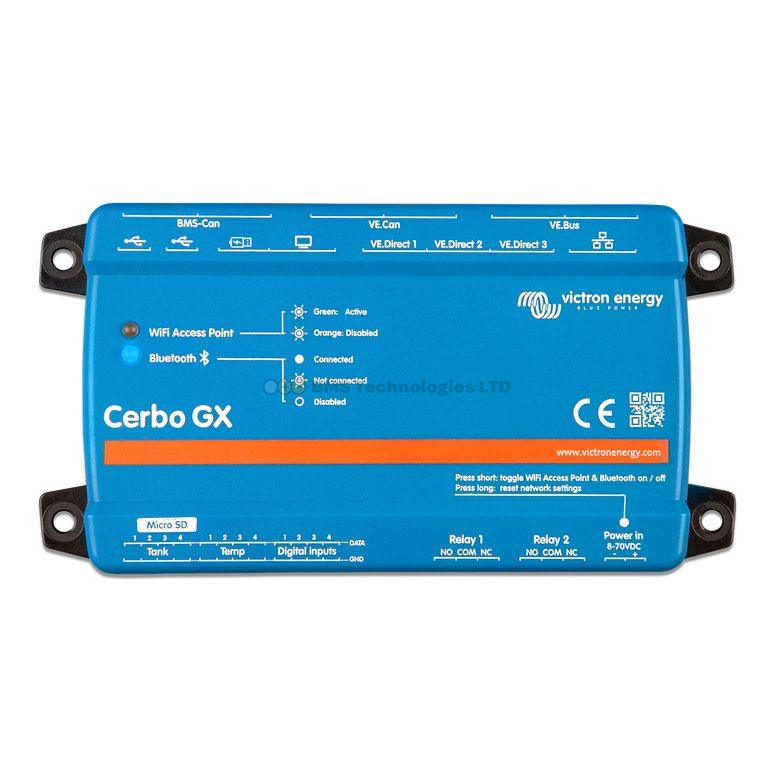
The Cerbo GX uses this data via DVCC (Distributed Voltage and Current Control) to coordinate all connected chargers and inverters in real time. When the BMS says "reduce charge current to 20A", every MPPT and MultiPlus in the system responds immediately. This is the safest and most efficient integration.
Tier 2: Serial Communication
Some battery brands communicate via RS485 serial or RS232. This provides similar data to CAN-bus but uses a different physical connection. The Cerbo GX can support some serial-connected batteries, though CAN-bus is generally preferred for reliability and data throughput.
Tier 3: No Communication
The battery has a BMS but it does not communicate with the Victron system at all. This is common with budget lithium batteries. It works — but with significant limitations:
- Chargers use fixed voltage settings rather than dynamic BMS-controlled limits
- If the BMS needs to disconnect the battery, it does so without warning, causing an abrupt loss of power
- State of charge must be estimated by a separate battery monitor (like a SmartShunt) rather than reported by the BMS
- There is no automatic protection against charging in cold temperatures unless the BMS itself blocks it
Victron's Compatible Battery List
Victron maintains an official list of compatible third-party batteries on their website. Batteries on this list have been tested and verified to work correctly with Victron GX devices. The list includes the required CAN-bus profile setting for each brand.
To use a listed battery, you configure the Cerbo GX by navigating to Settings > System setup > Battery monitor, and then selecting the battery brand from the CAN-bus battery dropdown. This tells the GX device which communication protocol to use.
Popular Compatible Brands in the UK
| Brand | Communication | Common Models | Notes |
|---|---|---|---|
| Pylontech | CAN-bus | US2000C, US3000C, US5000 | Very popular for home storage. Stackable modules. Well-proven with Victron |
| BYD | CAN-bus | LVS Premium, Battery-Box | Large capacity modules for home/commercial. Excellent Victron integration |
| Freedomwon | CAN-bus | LiTE series | South African brand, growing UK presence. Robust BMS communication |
| SimpliPhi | CAN-bus | PHI 3.8 | US brand, high quality cells. Good but less common in the UK |
| Discover | CAN-bus | AES series | Canadian brand with strong Victron compatibility |
This is not an exhaustive list — check Victron's official compatibility page for the most current information, as new brands are added regularly.
Setting Up a CAN-bus Connected Battery
The setup process for a CAN-bus compatible battery is straightforward:
- Physical connection: Run an RJ45 Ethernet cable from the battery's CAN-bus port to the Cerbo GX VE.Can port. Ensure CAN-bus termination is correct — each end of the CAN-bus chain needs a 120-ohm terminator. Most batteries include one internally. Use the Victron VE.Can terminator on the Cerbo GX's unused VE.Can port
- GX configuration: On the Cerbo GX, navigate to Settings > System setup > Battery monitor. Select the battery from the CAN-bus battery list
- Enable DVCC: Navigate to Settings > DVCC and enable it. This is essential — without DVCC, the CAN-bus data from the battery is displayed but not acted upon
- Verify data: Check the Device List on the Cerbo GX. The battery should appear with its current SOC, voltage, current, temperature, and any active alarms
- Set charger defaults: Even with DVCC active, configure your MPPT controllers and MultiPlus with correct lithium charge parameters as a fallback. If CAN-bus communication is lost, the chargers revert to their internal settings
Setting Up Without BMS Communication
If your battery does not communicate with the Victron system, you must configure everything manually. This requires more care and provides less protection, but it is a workable approach for many installations.
Step-by-Step Manual Configuration
- Determine charge parameters: Check your battery manufacturer's specifications for absorption voltage, float voltage, and maximum charge current. For most LiFePO4 batteries, values will be similar to Victron's: 14.2V absorption, 13.5V float for 12V systems. Some brands specify slightly different values — always use the manufacturer's recommendation
- Configure every charger: Set each MPPT, MultiPlus charger, DC-DC charger, and shore power charger to the correct lithium charge profile with the manufacturer's specified voltages. See our LiFePO4 charging guide for detailed instructions
- Add a battery monitor: Without BMS communication, you need a separate device to track state of charge. The Victron SmartShunt or BMV-712 connects to the Cerbo GX via VE.Direct and provides accurate SOC, voltage, current, and power readings
- Configure DVCC limits: On the Cerbo GX, navigate to Settings > DVCC. Even without a communicating BMS, you can manually set maximum charge voltage and maximum charge current limits in DVCC. These act as system-wide caps that no charger can exceed
- Set low-voltage disconnect: Configure the MultiPlus low-voltage disconnect to match your battery's BMS low-voltage cutoff (or slightly above it). This helps prevent the BMS from having to disconnect abruptly under load
DVCC Manual Settings for Non-Communicating Batteries
| DVCC Setting | Recommended Value | Purpose |
|---|---|---|
| Limit charge current | Yes — set to manufacturer's max | Prevents exceeding battery charge rate |
| Maximum charge current | Per manufacturer specs (e.g., 100A for a 100Ah battery) | Caps total charge current from all sources |
| Limit managed battery charge voltage | No (only applies to communicating batteries) | Not relevant without BMS communication |
| SVS (Shared Voltage Sense) | Use SmartShunt if available | Uses the monitor closest to the battery for accurate voltage |
| STS (Shared Temperature Sense) | Use SmartShunt with temp sensor | Provides temperature data for low-temp protection |
Risks of Non-Communicating Batteries
Using a battery without BMS-to-Victron communication is common and generally safe for well-configured systems, but you should understand the risks:
No Graceful Shutdown
When a communicating BMS detects a cell approaching its limits, it gradually reduces the allowed charge or discharge current. Connected devices taper smoothly. With a non-communicating BMS, the first indication of a problem is the BMS physically disconnecting the battery. For a MultiPlus running a 2000W load, this means an instant power cut and a voltage spike on the DC bus. Sensitive electronics may be damaged.
No Automatic Cold-Weather Protection
A communicating BMS tells the system "do not charge — battery too cold." A non-communicating BMS may simply disconnect if charging is attempted below its minimum temperature. You must ensure your charger settings include a low-temperature cutoff, or install a temperature sensor connected to the Cerbo GX and configure it accordingly.
SOC Accuracy
A communicating BMS reports SOC directly from its cell voltage and coulomb counting. An external battery monitor like the SmartShunt estimates SOC based on current flow, which drifts over time and requires periodic synchronisation (typically when the battery reaches full charge). For systems that rarely reach 100%, SOC accuracy can degrade.
Mixed Victron and Third-Party Setups
Some installations use Victron chargers and inverters with third-party batteries. This is the most common scenario and works very well when the battery is on Victron's compatible list. Less commonly, some systems use third-party chargers with Victron batteries — this is not recommended, as non-Victron chargers cannot participate in DVCC and may not have suitable lithium charge profiles.
Choosing a Third-Party Battery
When selecting a non-Victron lithium battery for a Victron system, prioritise these factors:
- Victron compatibility: Is it on the official compatible battery list? If yes, setup will be straightforward
- CAN-bus support: Even if not on the list, CAN-bus batteries may work with a generic CAN-bus profile or future firmware updates
- UK support and warranty: Choose a brand with UK-based support. Warranty claims on imported batteries with no local representation are extremely difficult
- Cell quality: Look for batteries using Grade A cells from reputable manufacturers (CATL, EVE, BYD). Avoid unbranded cells from unknown sources
- Certification: Look for UN38.3 transport certification and IEC 62619 safety certification as minimum standards
Cost Comparison
Third-party batteries can offer significant savings over Victron's own lithium range. For example, a Pylontech US5000 (4.8kWh, 48V) typically costs substantially less per kWh than equivalent Victron lithium batteries, while offering excellent Victron integration via CAN-bus. However, factor in the cost of any additional cables, CAN-bus adapters, and the time to configure the system.
Use our price comparison tool to compare prices across UK retailers for both Victron and compatible third-party batteries. For help sizing your complete system, try our system builder tool.
Final Advice
If your budget allows Victron lithium batteries, they offer the simplest and most tightly integrated experience — particularly with the Lynx Smart BMS. If you need to save money or want specific features (like Pylontech's modular stacking), third-party batteries with CAN-bus communication are an excellent choice. Avoid non-communicating batteries unless you are confident in your ability to configure all charge parameters correctly and understand the limitations. Whatever you choose, correct charge settings and proper cable and fuse sizing remain essential.