A battery monitor is one of the most important instruments on any boat. Without one, you're guessing how much power remains in your batteries — and guessing wrong means either running out of power at anchor or chronically over-discharging your batteries, shortening their life dramatically. This guide covers installing a Victron SmartShunt or BMV battery monitor on a boat, with specific advice for the marine environment.
Why Boats Need Accurate Battery Monitoring
A voltmeter alone is unreliable for judging battery state of charge. A lead-acid battery at 12.4V could be 60% charged at rest or 80% charged under a charging current. Under a heavy load, voltage drops regardless of actual capacity. On a boat where you depend on battery power for navigation lights, bilge pumps, and communication, knowing the true state of charge is essential for safety.
A Victron battery monitor measures current flow in and out of the battery over time (coulomb counting) and combines this with voltage readings to calculate an accurate state of charge, time remaining, and historical usage data.
Choosing Your Victron Battery Monitor
SmartShunt 500A
The SmartShunt is a compact shunt resistor with built-in Bluetooth and VE.Direct connectivity. It has no display — you read data via the VictronConnect app on your phone or via a connected Cerbo GX device. For most boats, this is the best choice: it's smaller, cheaper, IP65-rated (splash-proof), and provides all the same data as the BMV series.
BMV-712 Smart
The BMV-712 includes the same shunt plus a dedicated display panel. The display mounts at your helm or navigation station, showing voltage, current, state of charge, and time remaining at a glance. Choose this if you want a permanent, always-visible display without relying on a phone or GX device. The BMV-712 also includes a second input for monitoring a starter battery voltage.
Which One for Your Boat?
| Feature | SmartShunt 500A | BMV-712 Smart |
|---|---|---|
| Shunt rating | 500A | 500A |
| Built-in display | No (app or GX device) | Yes (dedicated panel) |
| Bluetooth | Yes | Yes |
| VE.Direct (to GX) | Yes | Yes |
| Second battery voltage input | Yes (aux input) | Yes |
| IP rating | IP65 (shunt) | IP65 (shunt), panel not waterproof |
| Best for | Boats with Cerbo GX or phone-only monitoring | Boats wanting a dedicated display at the helm |
Marine-Specific Installation Considerations
Multiple Battery Banks
Most boats have at least two battery banks: house and engine start. Many narrowboats and larger yachts also have a bow thruster bank. The Victron battery monitor is designed to monitor your primary house bank — the one you draw down and recharge daily.
The auxiliary input on both the SmartShunt and BMV-712 can monitor the voltage of a second battery (your engine start battery). This gives you a quick check that the starter battery is healthy without needing a second monitor.
If you need to monitor the bow thruster bank independently, add a second SmartShunt. Both can connect to the same Cerbo GX via VE.Direct.
Shunt Placement
The shunt must be installed on the negative cable of the house battery bank. Every load and every charge source connected to the house bank must pass through this shunt. The shunt goes between the battery negative terminal and the negative bus bar that everything else connects to.
On a boat, the shunt is typically mounted in the engine compartment or battery locker near the house battery bank. Choose a location that is:
- Accessible for inspection — you'll want to check connections periodically
- Protected from standing water — not in the bilge, even though the SmartShunt is IP65
- Close to the battery bank — the cable between the battery negative and the shunt should be as short as possible
- Away from the engine exhaust — excessive heat affects accuracy
Corrosion-Resistant Connections
Marine battery connections are exposed to moisture, salt air, and condensation. Every connection on the shunt must be protected:
- Use tinned copper lugs crimped with a hydraulic crimper
- Apply adhesive-lined heat shrink over every crimp
- Apply petroleum jelly or terminal protector spray on the shunt bolt connections
- Use stainless steel fasteners where the shunt connects to the bus bar or battery terminals
- Inspect connections every 6 months — corrosion on a shunt connection introduces resistance that causes inaccurate readings
Wiring the Shunt
Critical Rule: Everything Through the Shunt
For accurate readings, the only cable connected directly to the battery negative terminal is the cable going to the shunt's battery side. Everything else — all loads, all chargers, the engine negative — connects to the system side of the shunt (or to a bus bar connected to the system side).
Common items that must pass through the shunt on a boat:
- All DC loads (lights, pumps, fridge, electronics)
- Inverter/charger (MultiPlus) DC negative
- Solar charge controller (MPPT) battery negative
- DC-DC charger (Orion-Tr) output negative
- Any battery-to-battery charger or combiner
- Engine alternator return (if it charges the house bank)
Longer Cable Runs on Boats
On a narrowboat, the distance from the shunt in the engine bay to a display at the helm or the Cerbo GX in the saloon can be 10-15 metres. The shunt communicates via a VE.Direct cable (a standard 4-pin connector cable) which can run up to 10m without issues. For longer runs, use the VE.Direct to USB interface and an active USB extension, or route the data via the Cerbo GX's network capabilities.
Configuration for Marine Batteries
After installation, configure the battery monitor in VictronConnect to match your battery bank:
Battery Capacity
Enter the total rated capacity in Ah of your house bank. For parallel batteries, this is the sum: 3x 100Ah batteries = 300Ah. The monitor uses this to calculate percentage state of charge.
Charged Voltage
This tells the monitor when the battery is full. Set it slightly below your charger's float voltage:
- Lead-acid/AGM (12V): 13.2V
- Lithium (12V): 13.5V
- Lead-acid/AGM (24V): 26.4V
- Lithium (24V): 27.0V
Discharge Floor
Set this to the minimum state of charge you want to discharge to. For lead-acid, set 50% to maximise battery life. For lithium, 20% is typical. The "time remaining" calculation uses this floor — it shows how long until you reach this level, not until the battery is dead.
Peukert Exponent (Lead-Acid Only)
This compensates for the fact that lead-acid batteries deliver less total energy at higher discharge rates. Default is 1.25, which works for most marine lead-acid and AGM batteries. For lithium, set to 1.05 (lithium is barely affected by discharge rate).
Monitoring via GX Device
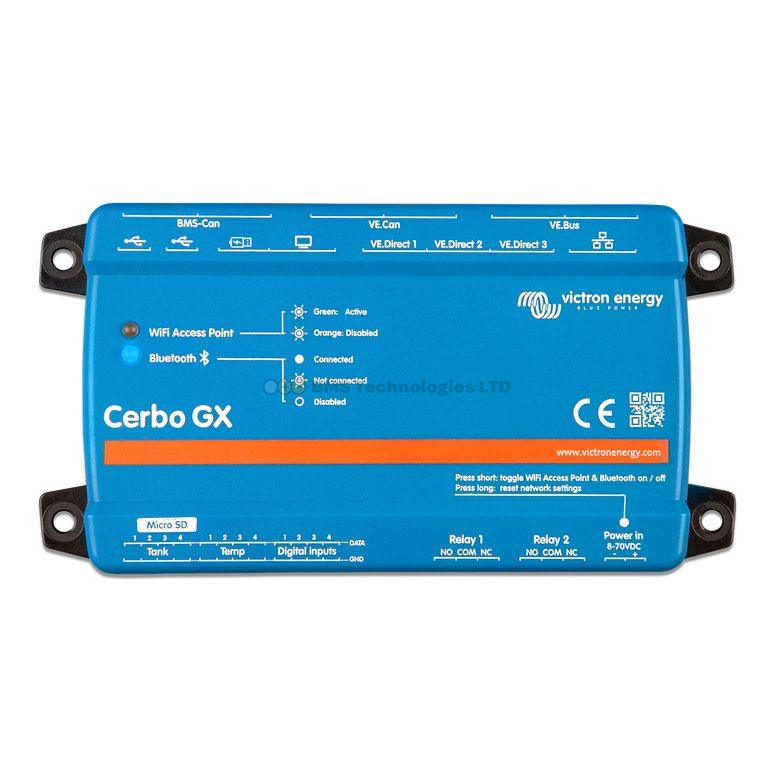
Connecting the SmartShunt or BMV to a Cerbo GX via VE.Direct provides several advantages for boat owners:
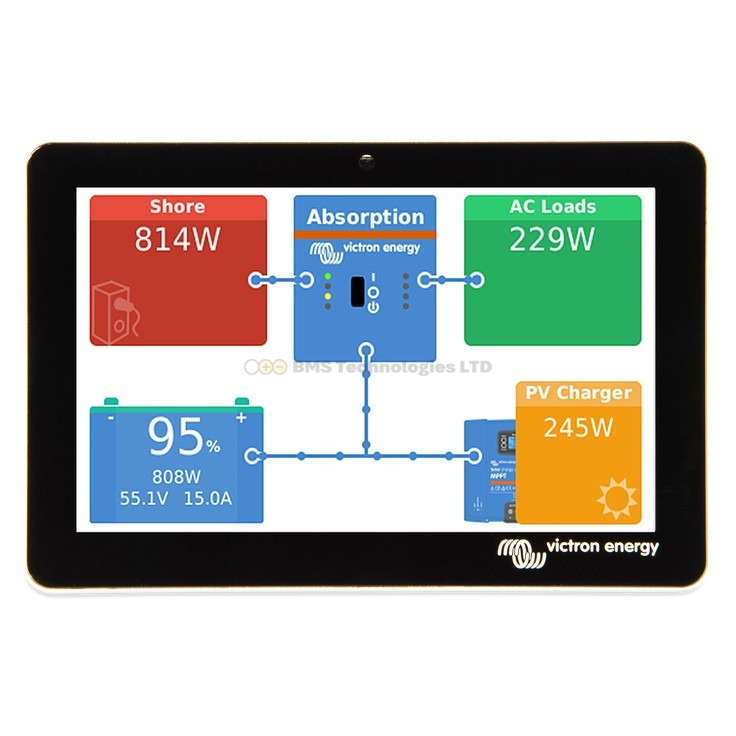
- Navigation station display — the GX Touch screen shows real-time battery data alongside solar, shore power, and inverter status
- VRM remote monitoring — check your battery status from anywhere via the internet. Essential when you leave the boat on a mooring
- Data logging — track daily consumption patterns, identify phantom drains, and optimise your system over time
- Alarms — set voltage and state-of-charge alarms. The GX can send email or push notifications if the battery drops too low while you're away
Troubleshooting Inaccurate Readings
State of Charge Drifts Over Time
If the state-of-charge reading gradually becomes inaccurate, the monitor isn't detecting a full charge correctly. Check that the charged voltage setting matches your actual float voltage, and that the battery genuinely reaches float during a full charge cycle. The monitor synchronises (resets to 100%) when it detects full charge conditions.
Current Reading Shows Offset When Nothing Is Connected
With all loads and chargers disconnected, the monitor should read 0.0A. If it shows a small offset (e.g., 0.3A), use the zero current calibration in VictronConnect. Disconnect everything from the battery first.
For the complete narrowboat electrical system, see our narrowboat product guide. For wiring best practices, read our wiring mistakes guide — the principles apply equally to boat installations. And for a broader look at monitoring, see our general battery monitor setup guide.